

01
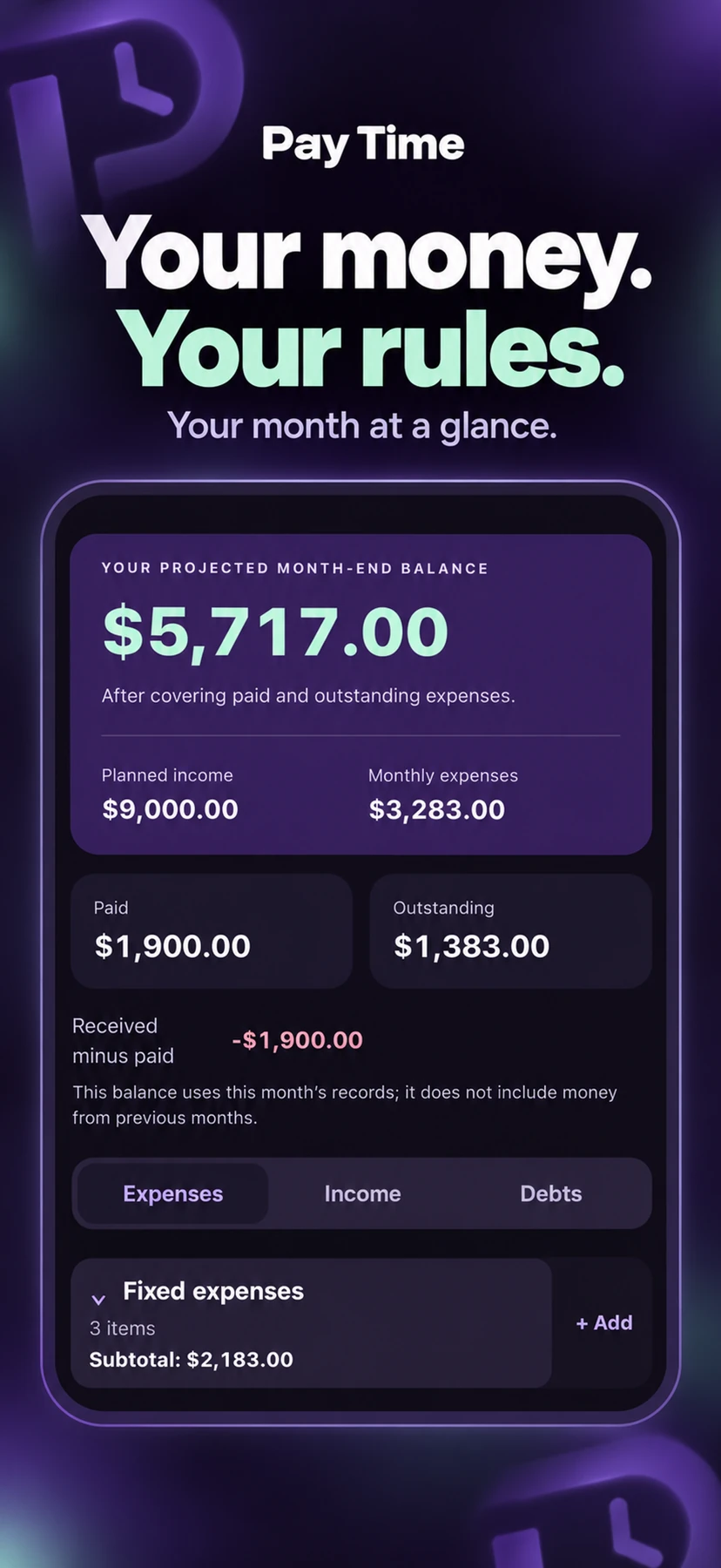
Your month, at a glance.
See planned income, monthly expenses and your projected month-end balance together. Paid and outstanding amounts help you understand where you stand.
PERSONAL BUDGETING. ON YOUR TERMS.
A simpler way to plan your month. Make room for your income, your bills and the things that matter to you.
View on the App StoreMade for iPhone. Built around your everyday life.
 PAY TIME / YOUR EVERYDAY BUDGET
Rows you can name. Amounts you can change. A clear picture of the month ahead. Pay Time brings that everyday simplicity to your phone, so keeping up with your budget fits into your day.
A LITTLE ORDER. A LOT MORE CLARITY.
Start with the way you already think about money. Create your own items, record what happens and keep the whole month in view.
See planned income, monthly expenses and your projected month-end balance together. Paid and outstanding amounts help you understand where you stand.
Add, rename and arrange your own fixed and variable expenses. Expand the groups you need and collapse the rest. Copy your previous month to make a new one easier.
Record a full payment or an installment. The paid amount and the remaining balance update together, and your payment history stays available.
Link an expense to a debt so the payments you record reduce its balance. Keep a link for one month or until the debt is paid off. Balances follow the movements you enter.
Choose a reminder on the due date, an advance reminder and the time that works for you. These local reminders are for expenses that are still outstanding.
Choose light, dark or your system appearance. Increase text size, switch between English and Spanish, and choose the number format that feels familiar.
App shown in English. All amounts are sample data.
PERSONAL FINANCES. KEPT PERSONAL.
Your financial records stay on your device. Pay Time works without an account or a connection to your bank. Export a backup when you want, to a location you choose.
Read the privacy policyFAQ
No. You enter your income, expenses and payments yourself. Pay Time does not need your bank login or an app account.
Yes. Move between months to see the items and payments you have recorded. Each month keeps its own records.
A linked payment you record reduces that debt’s balance. Pay Time does not connect to your creditor; record new charges, interest or balance corrections yourself when needed.
Use Export backup in Settings and backup, and save the file somewhere you trust. Use Import backup to restore a saved file. Keep your backup private because it contains your financial records.
The app supports English and Spanish. Number formatting can follow your device or use your preferred decimal and thousands separators independently of language.
Use the App Store link to find Pay Time. Apple displays availability for your country or region and device compatibility on the listing.
NEED A HAND?
Questions, feedback or an idea that would make Pay Time work better for you? Get in touch.
Contact support ptr.cesarsanchez@gmail.com